✔️ Requires iOS 14.0 or later, or the latest version of macOS.
Adding a Subscription Link
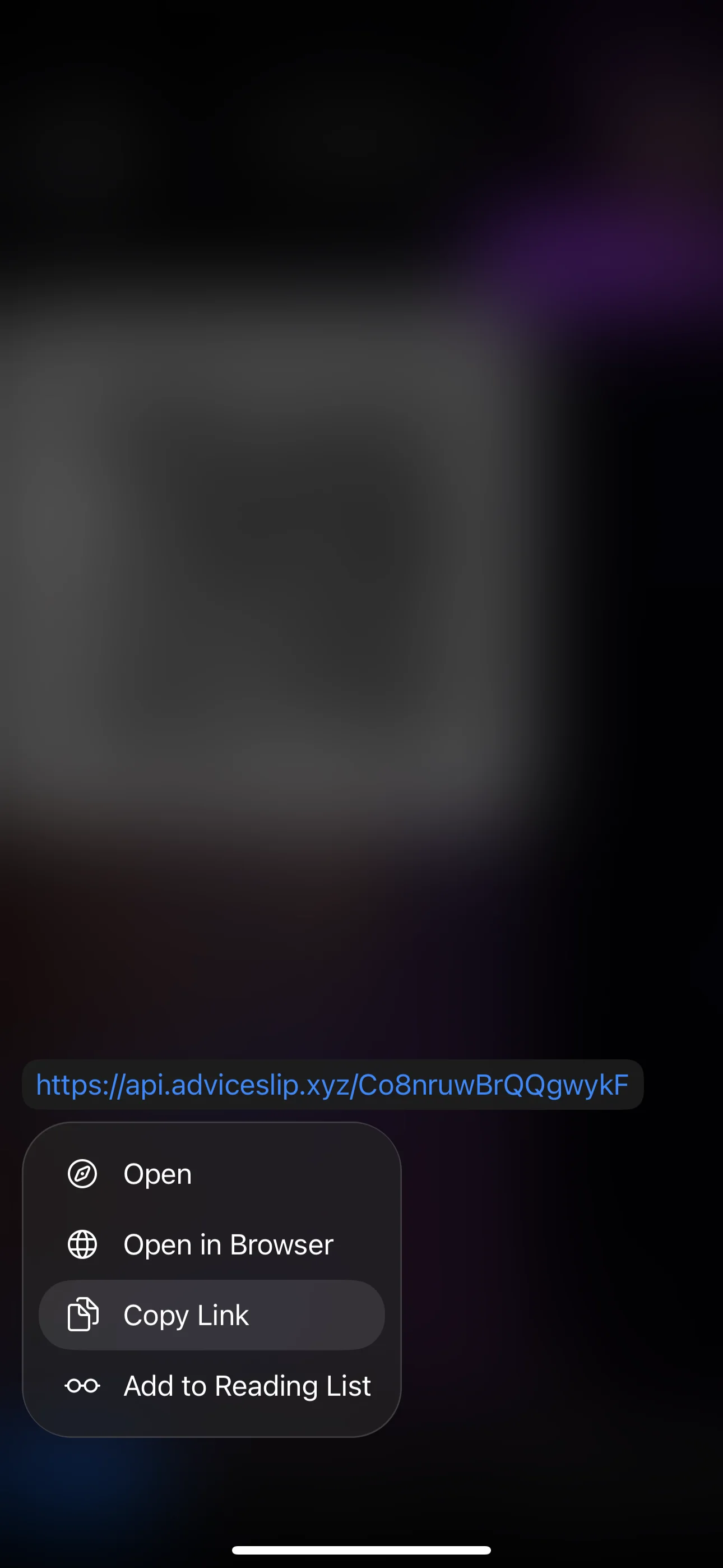
- Open the bot and use the service management button to get your subscription link. Then copy the link.

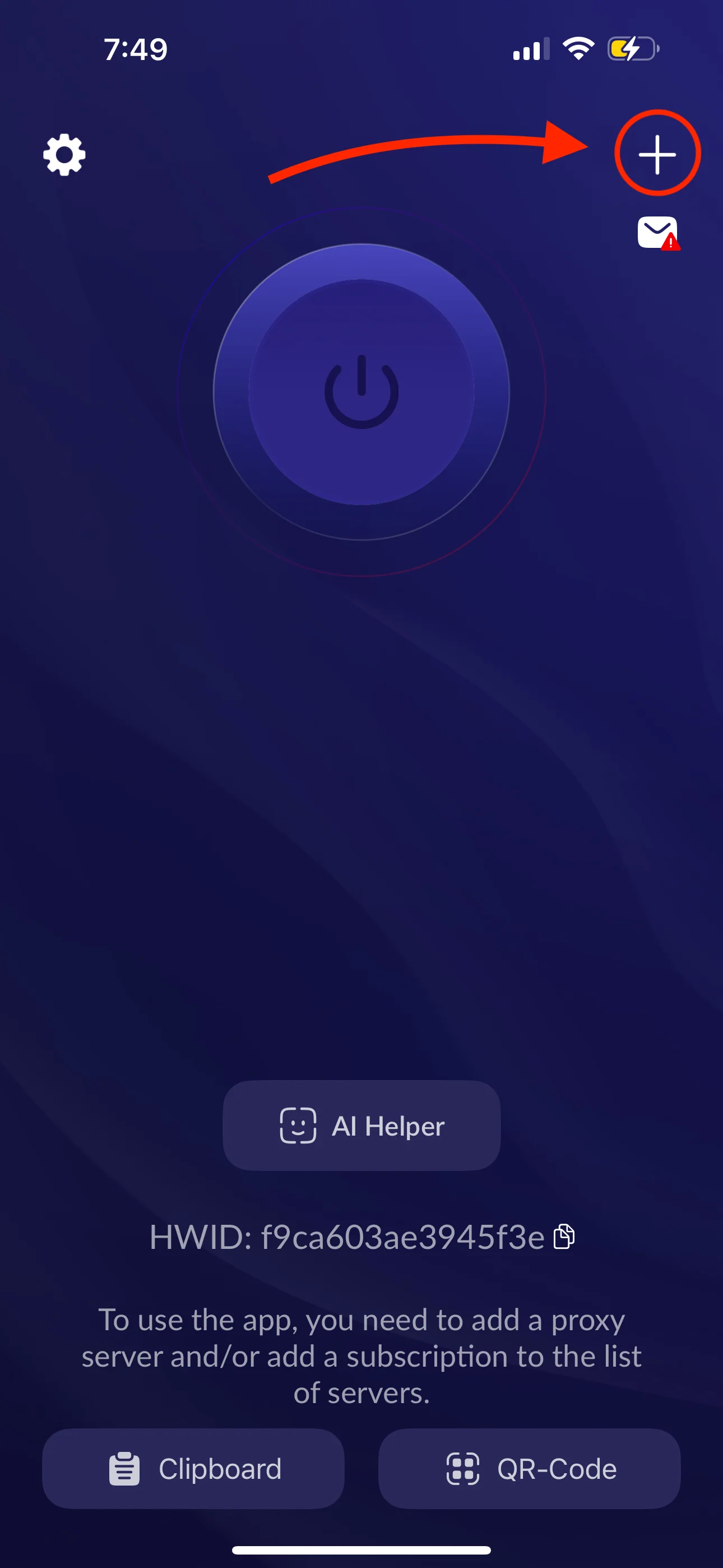
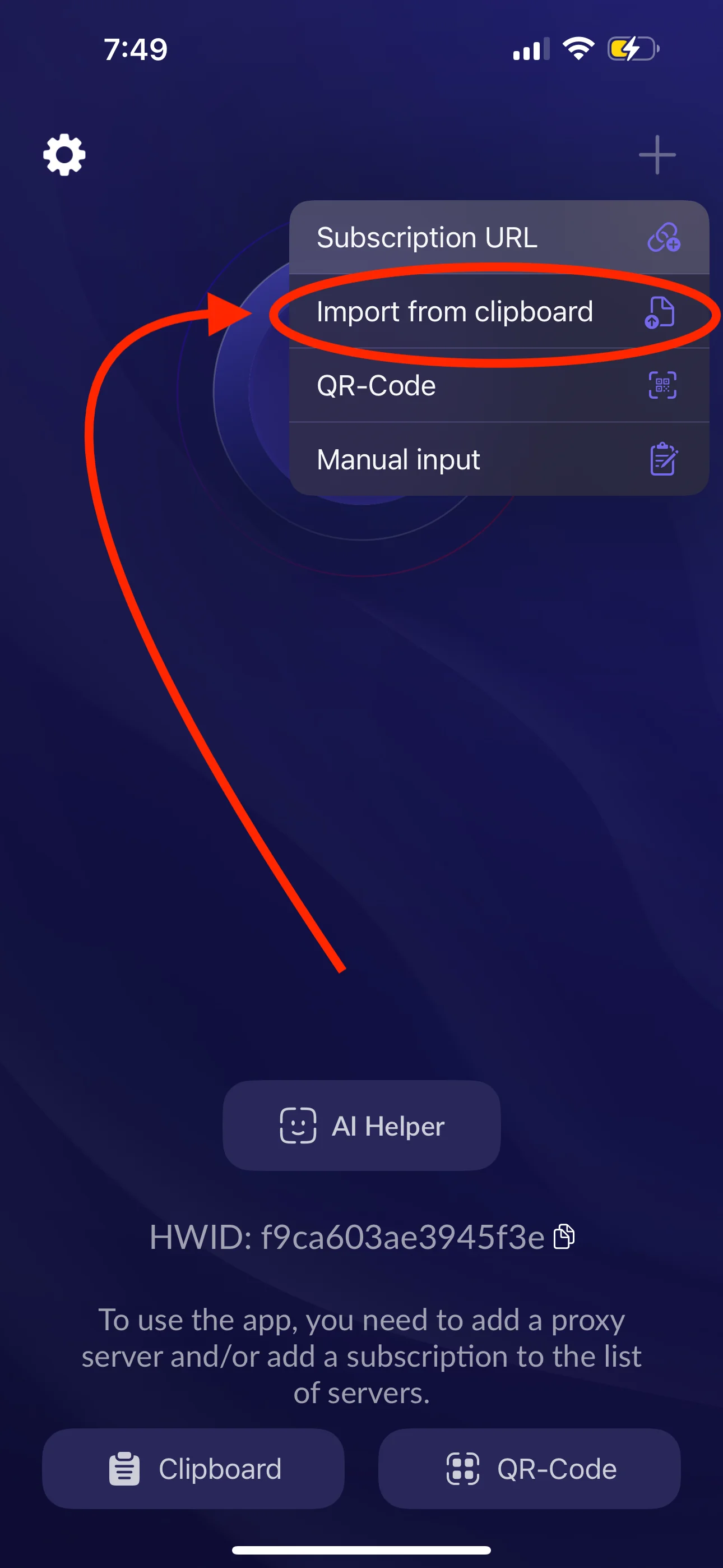
- Open the Happ app, tap + in the top-right corner, then select Import from clipboard to add the servers.
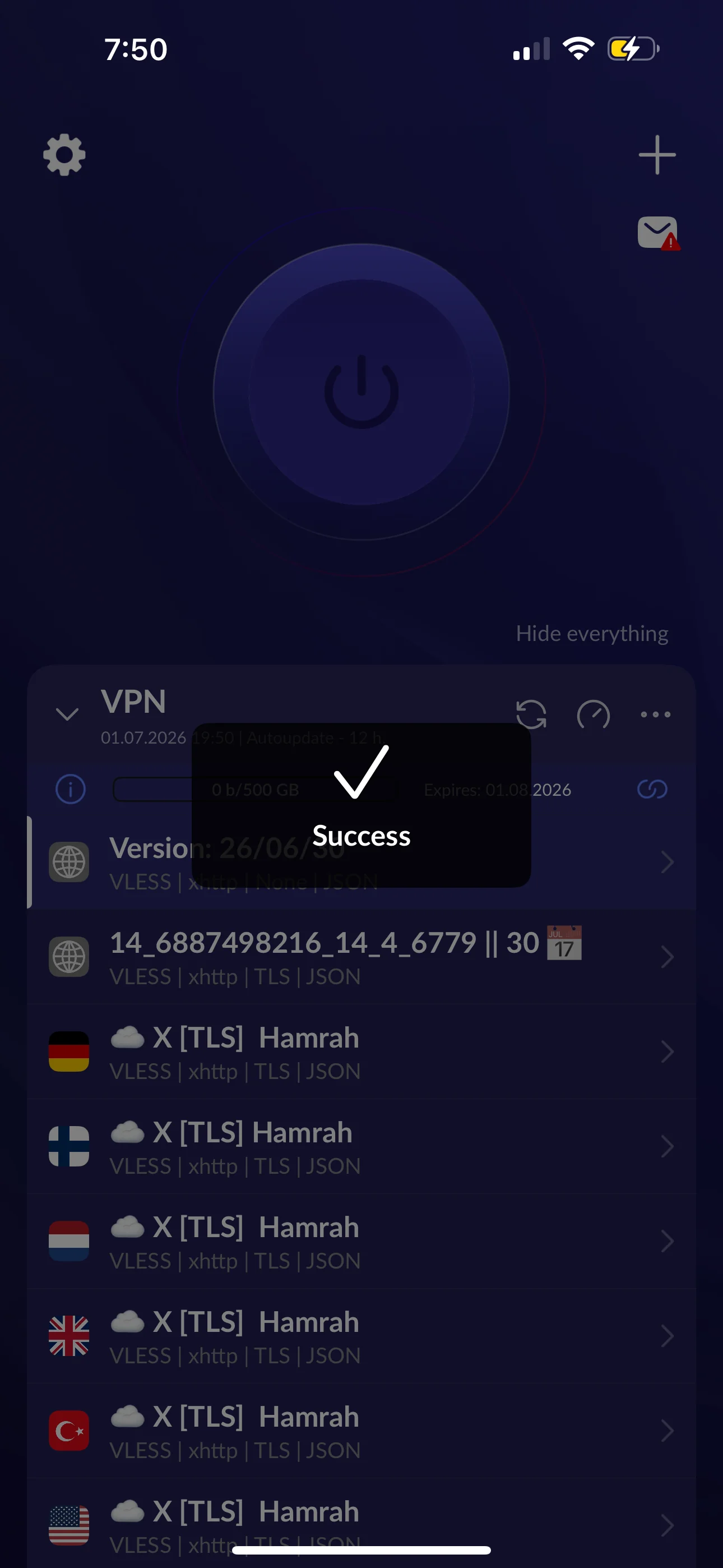
- If successful, the new servers will be added to your server list.
-
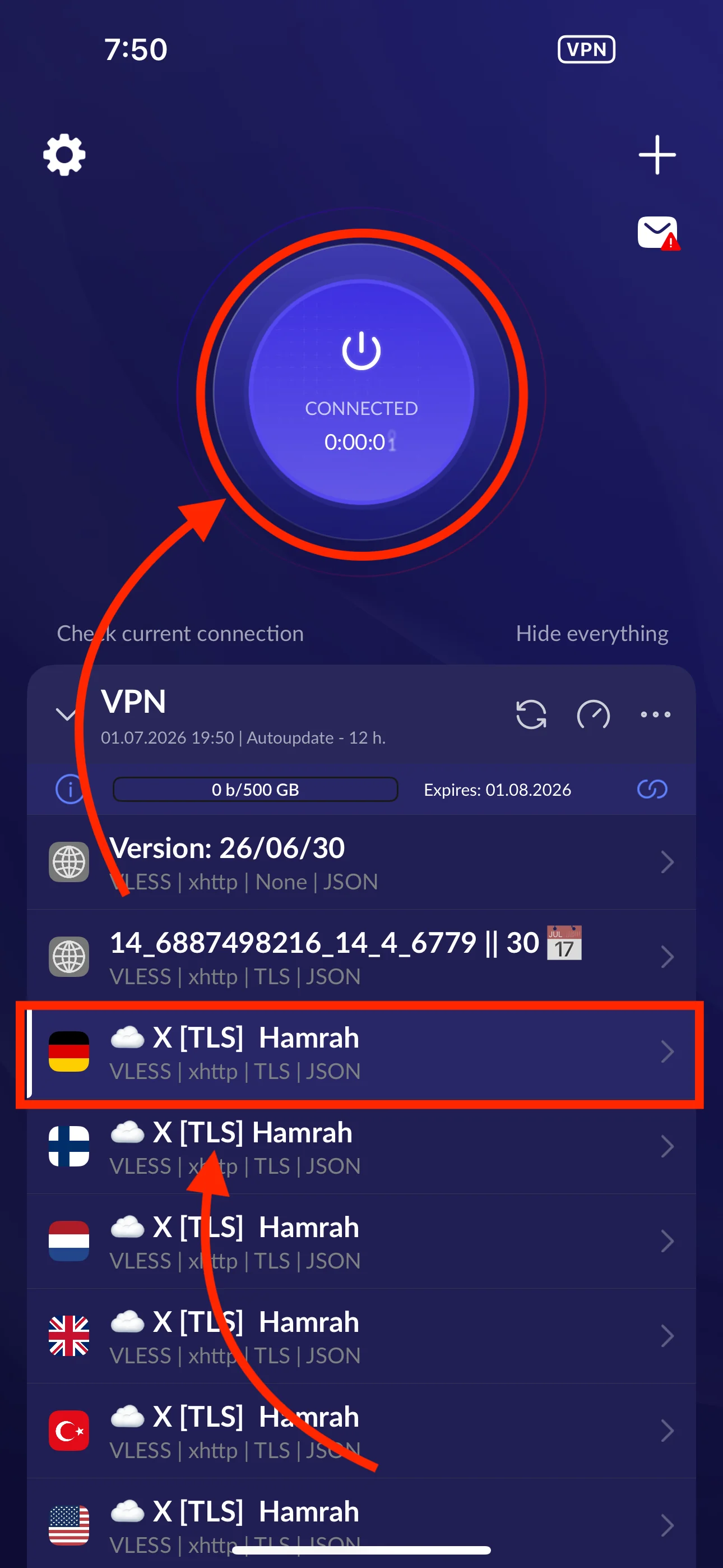
Select the server you want, then tap the large Connect button.
-
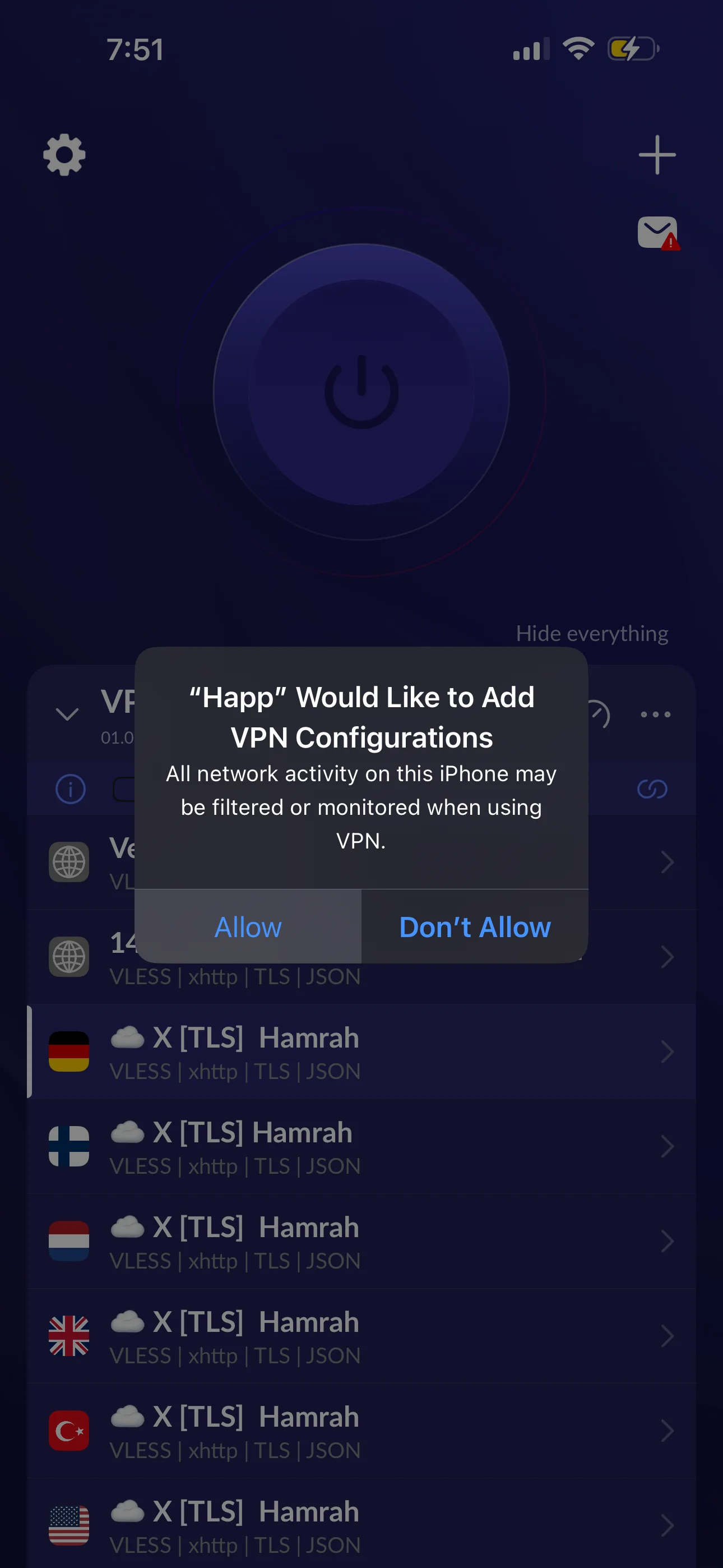
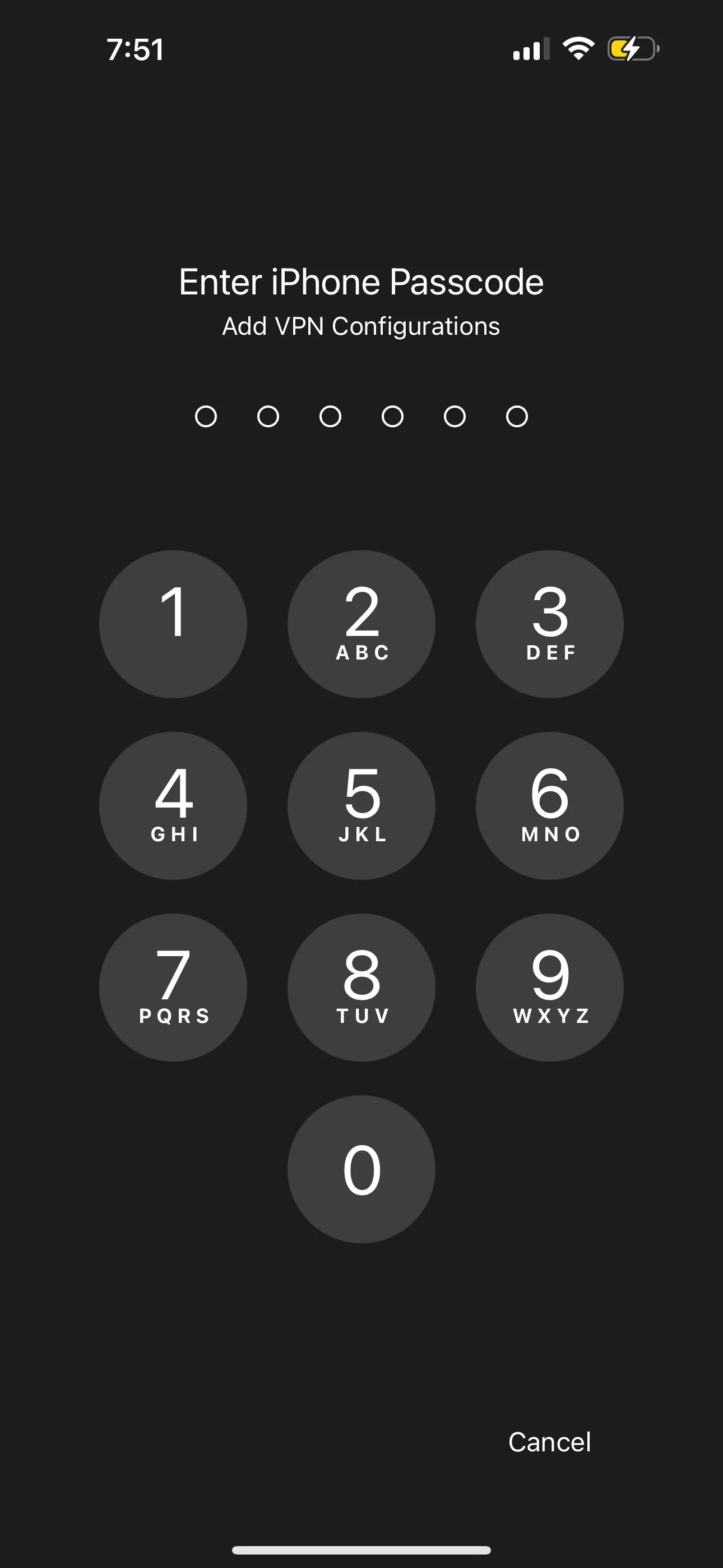
You may be asked to allow the VPN connection. Select Allow, then enter your passcode.
Congratulations, you are connected to the free internet! :)
✅ Tip If you tap the connect button but the VPN does not turn on, restart your phone once to fix the issue.
⚠️ Note:
-
Do not keep another VPN connected while adding the update link.
-
Make sure your phone's time and date are set to automatic.
-
Do not copy any extra text with your subscription link. Copy only the subscription link.